
Types of Relations
One-to-Many
One record in Object A can be linked to many records in Object B. Example: One Company can have many People (employees).Many-to-One
Many records in Object A can be linked to one record in Object B. Example: Many People can belong to one Company.Relations to Multiple Object Types
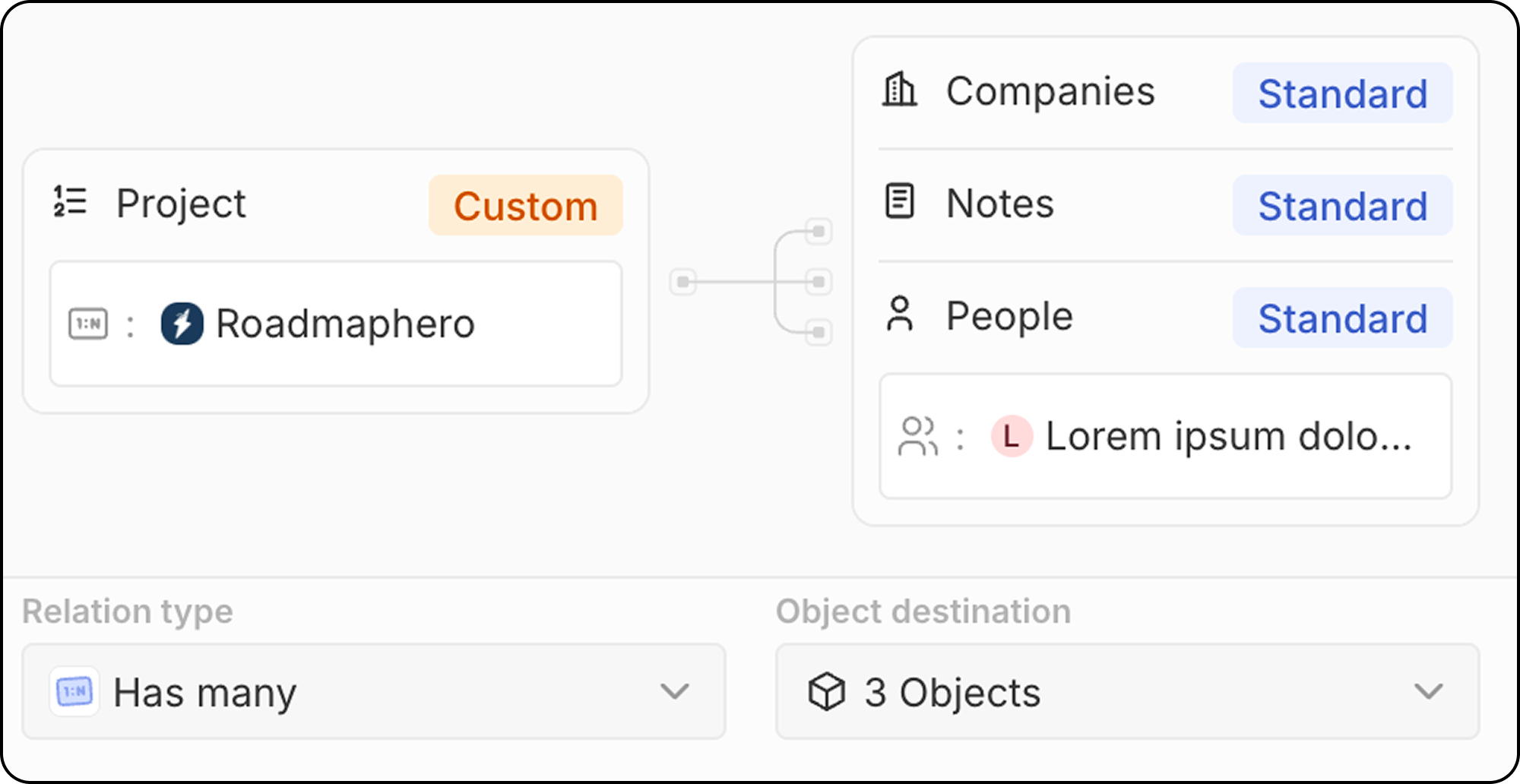
Some objects can link to multiple object types on one side of the relation. Example: A Note can be attached to one Person AND one Company AND one Opportunity simultaneously. The Note is on the “many” side, connecting to multiple “one” sides.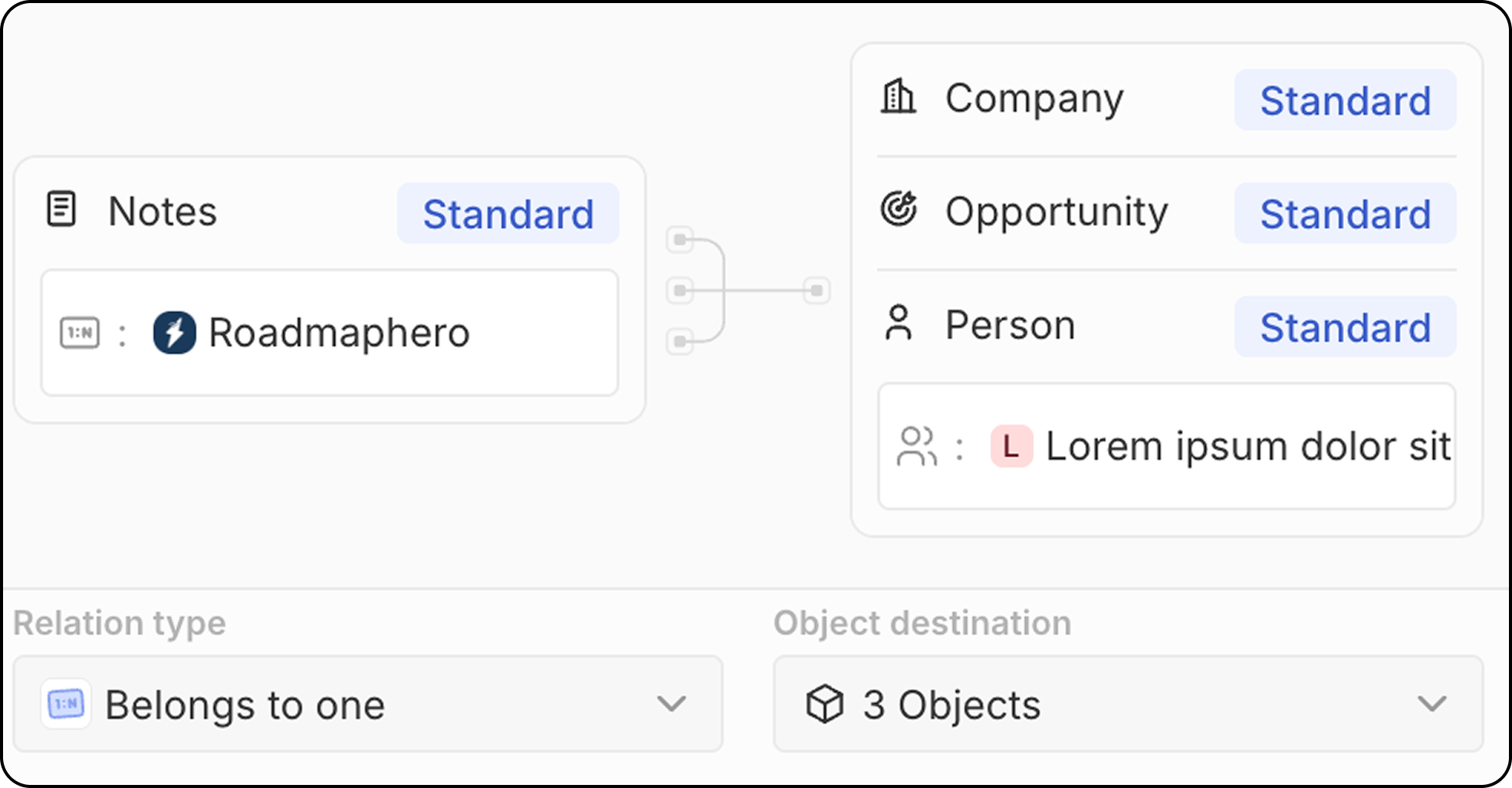 Similarly, a Project (on the “one” side) could receive links from multiple People, multiple Companies, and multiple Notes.
Many-to-Many
Many records in Object A can be linked to many records in Object B. Example: Many People can be linked to many Projects, and vice versa. Many-to-many relations use a junction object pattern: an intermediate object that connects both sides. With the junction relation feature, Zambrite CRM displays the final linked records directly, hiding the intermediate object from the UI. See How to Create Many-to-Many Relations for a complete step-by-step guide.
Creating a Relation Field
- Go to Settings → Data Model
- Select the object where you want to add the relation
- Click + Add Field
- Select Relation as the field type
- Choose the target object(s) to relate to
- Configure the relation settings:
- Field name on source object: The name of the relation field on the object you’re editing
- Field name on destination object: The name of the relation field that will appear on the target object
- Relation type (one-to-many, many-to-one)
- Click Save
Standard Relations
Zambrite CRM comes with pre-built relations between standard objects:Best Practices
Planning Relations
- Map your data model: Plan relations before creating them
- Consider direction: Think about which object “owns” the relationship
- Avoid circular dependencies: Keep your data model clean
Naming Relations
- Use clear names: Make it obvious what the relation represents
- Be consistent: Use similar naming patterns across relations
- Consider both sides: Name both sides of the relation appropriately
Performance
- Don’t over-relate: Too many relations can slow down your workspace
Limitations
- Deleting relations removes the link but not the related records
- Circular relations should be avoided for data integrity